Patient Health & Labs
Review a patient's weight and BMI charts, health conditions, diagnoses, questionnaire results, and medications, and order blood tests from the Lab results page.
The Health tab on a patient's profile brings together their vitals history, conditions, diagnoses, questionnaire results, medications, and labs in one place.
Where to find it
Open a patient's profile and select the Health tab.
Open the Patients list
Select Patients in the sidebar, then select the patient's row.
Select the Health tab
On the patient's profile, select Health (between Overview and Treatments).
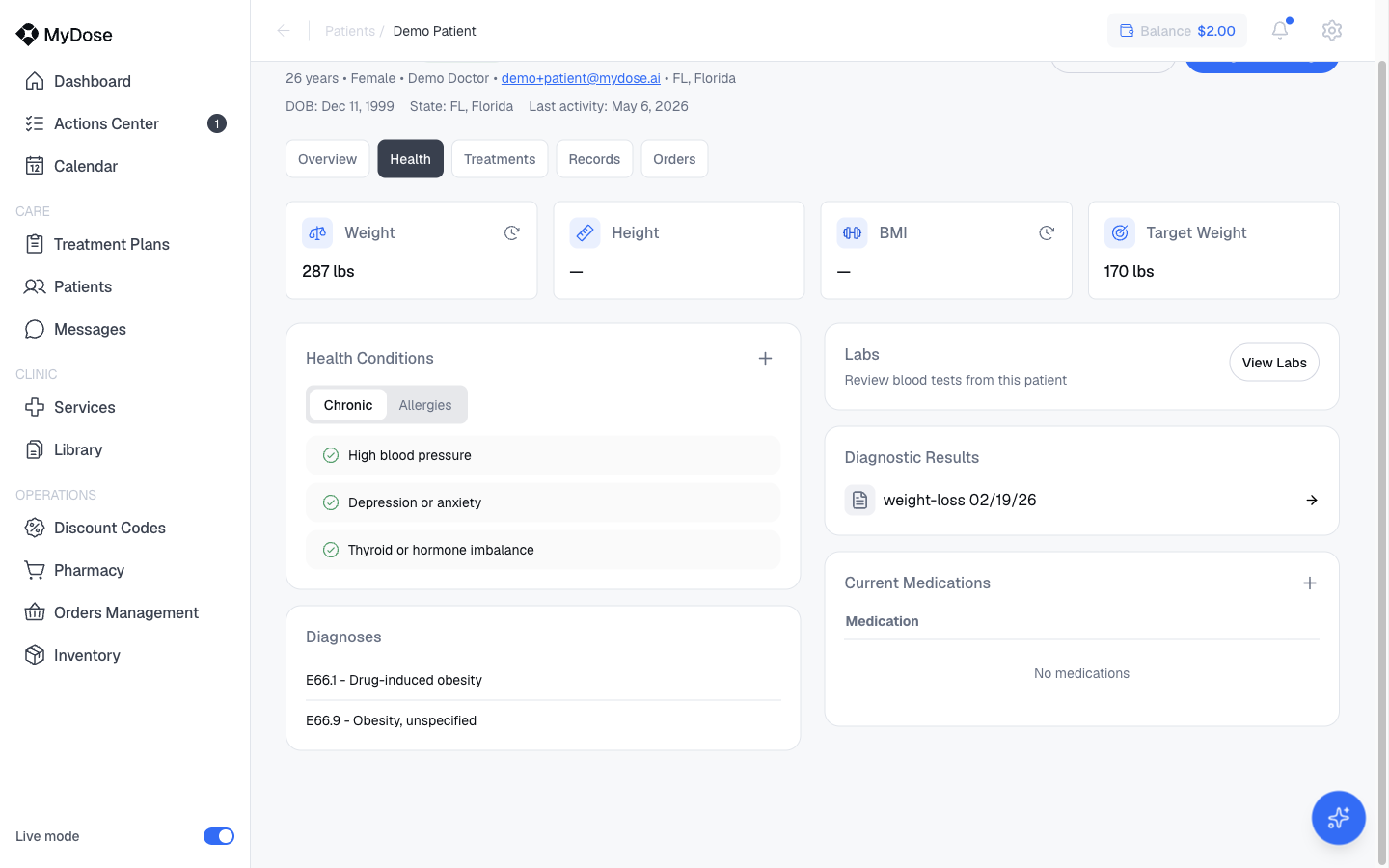
Charts
At the top of the Health tab, two charts track the patient over time:
- Weight history — the patient's recorded weight entries.
- BMI history — the patient's BMI over time.
Use these to check progress at a glance before a consultation or when reviewing a treatment.
Conditions and diagnoses
Health Conditions
The Health Conditions section records ongoing conditions, split into two sub-tabs:
- Chronic — long-term conditions.
- Allergies — known allergies.
To record a new condition, select Add condition and fill in the details.
Diagnoses
The Diagnoses list shows diagnoses recorded for the patient, so prescribers can see the clinical picture alongside the charts and conditions.
Diagnostic Results
Diagnostic Results lists the patient's submitted questionnaire results, shown by name and date (for example, "weight-loss 02/19/26"). To see the full intake submissions, use the Records tab — see Review intakes.
Medications
Current Medications is a table of the medications the patient is taking. It shows "No medications" when nothing has been recorded.
To record one, select Add medication and enter the details.
Order labs
The Labs section links to the patient's Lab results page, where you can review results and order new bloodwork.
Open the patient's profile
Select Patients in the sidebar, then select the patient's row.
Go to Health
Select the Health tab.
Open the Lab results page
In the Labs section, select View Labs.
Order a test
Select Order Blood Test. Existing lab results are listed on this page; it shows an empty state if the patient has none yet.
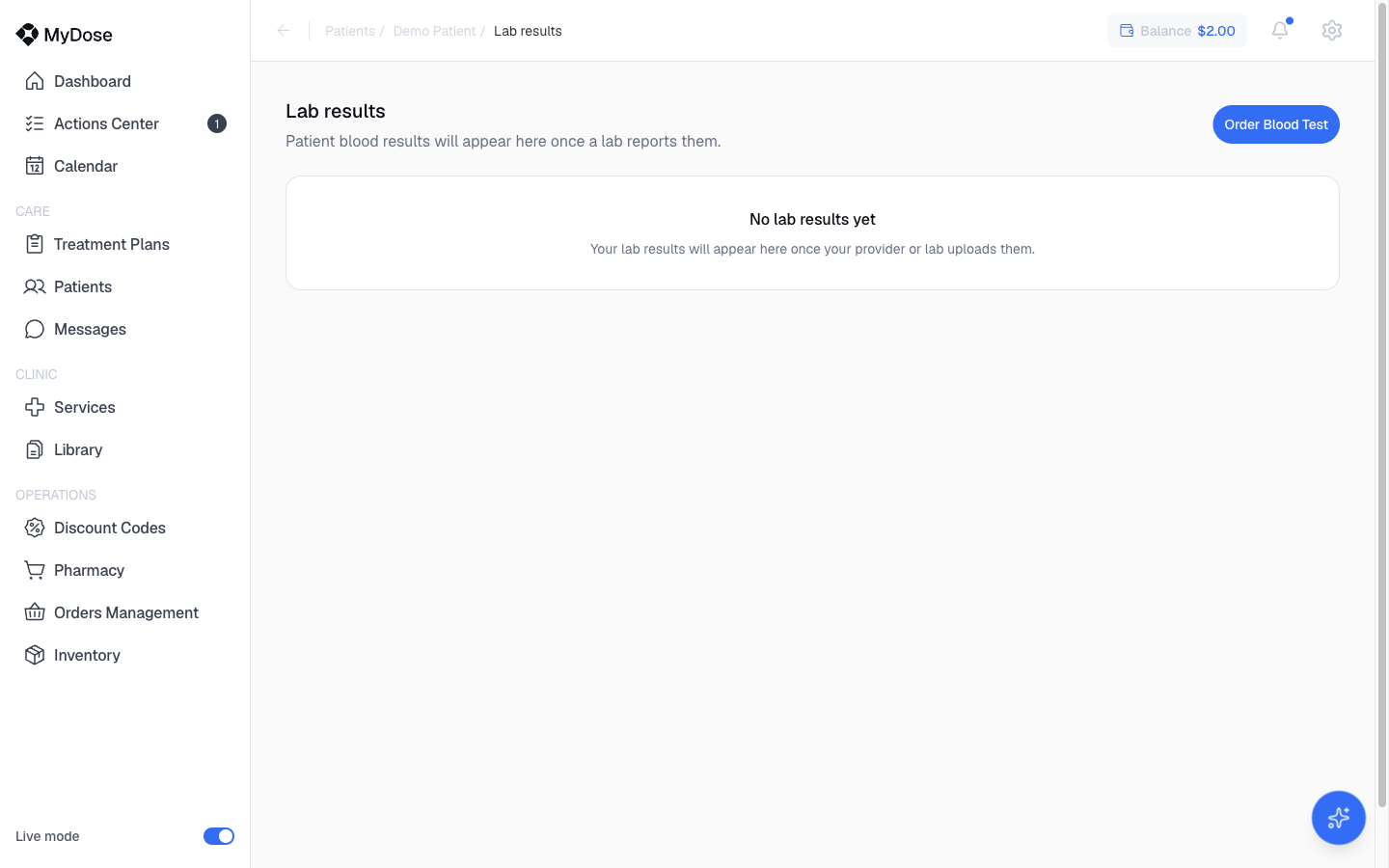
Ordering labs requires the Order bloodwork permission. If you don't see the Order Blood Test button, ask a clinic admin to check your role — see Roles & permissions.
Health tab at a glance
| Section | What it shows | Actions |
|---|---|---|
| Weight history / BMI history | Charts of recorded weight and BMI over time | — |
| Health Conditions | Chronic and Allergies sub-tabs | Add condition |
| Diagnoses | Recorded diagnoses | — |
| Labs | Link to the Lab results page | View Labs → Order Blood Test |
| Diagnostic Results | Submitted questionnaire results by name and date | — |
| Current Medications | Table of current medications | Add medication |
Related
Patient profile
Tour the full patient profile — Overview, Health, Treatments, Records, and Orders tabs.
Review intakes
Review submitted intake questionnaires from the Records tab.
Track patient progress
Follow a patient's progress across treatments and consultations.
Roles & permissions
See which roles can order bloodwork and manage patient records.