Actions Center
Work through your clinic's queue of intake reviews and treatment items that need attention.
The Actions Center is your clinic's work queue — one place to see every intake review and treatment item waiting on you, and to clear each one as you go.
Where to find it
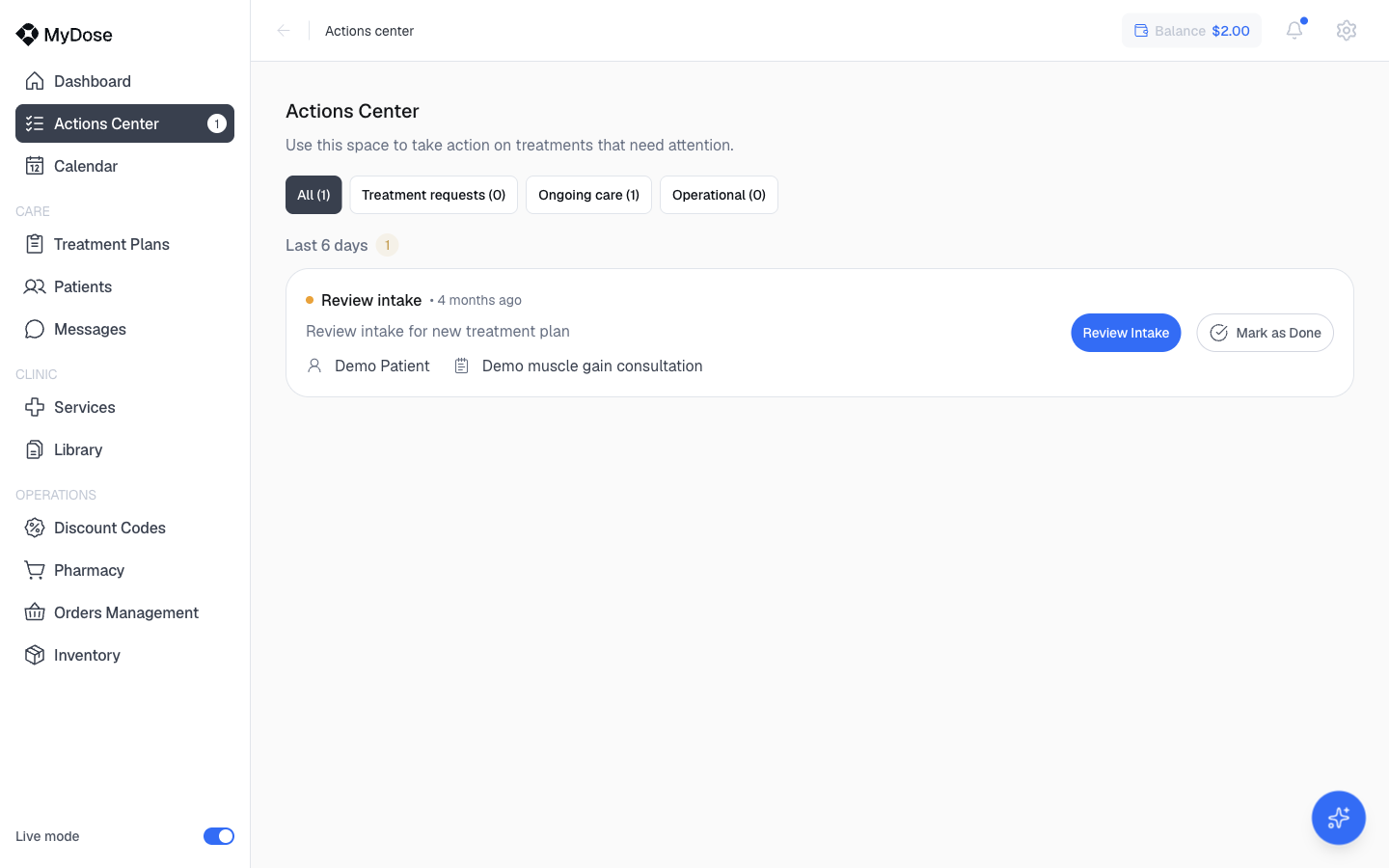
Select Actions Center in the sidebar. The red badge next to it shows the number of open items, so you can see at a glance whether anything is waiting — the badge count matches the number of items in the queue.
What lands here
The page is described as: "Use this space to take action on treatments that need attention." Items arrive when treatment work needs a decision from your clinic — most commonly an intake submitted for a new treatment plan that needs prescriber review, along with other ongoing-care and operational work.
The Urgent Tasks card on the Dashboard shows a count of urgent items and links here via View Actions Center.
Filter the queue
Use the filter tabs at the top of the queue to narrow what you see. Each tab shows a live count of its open items:
| Tab | What it shows |
|---|---|
| All | Every open item, regardless of type |
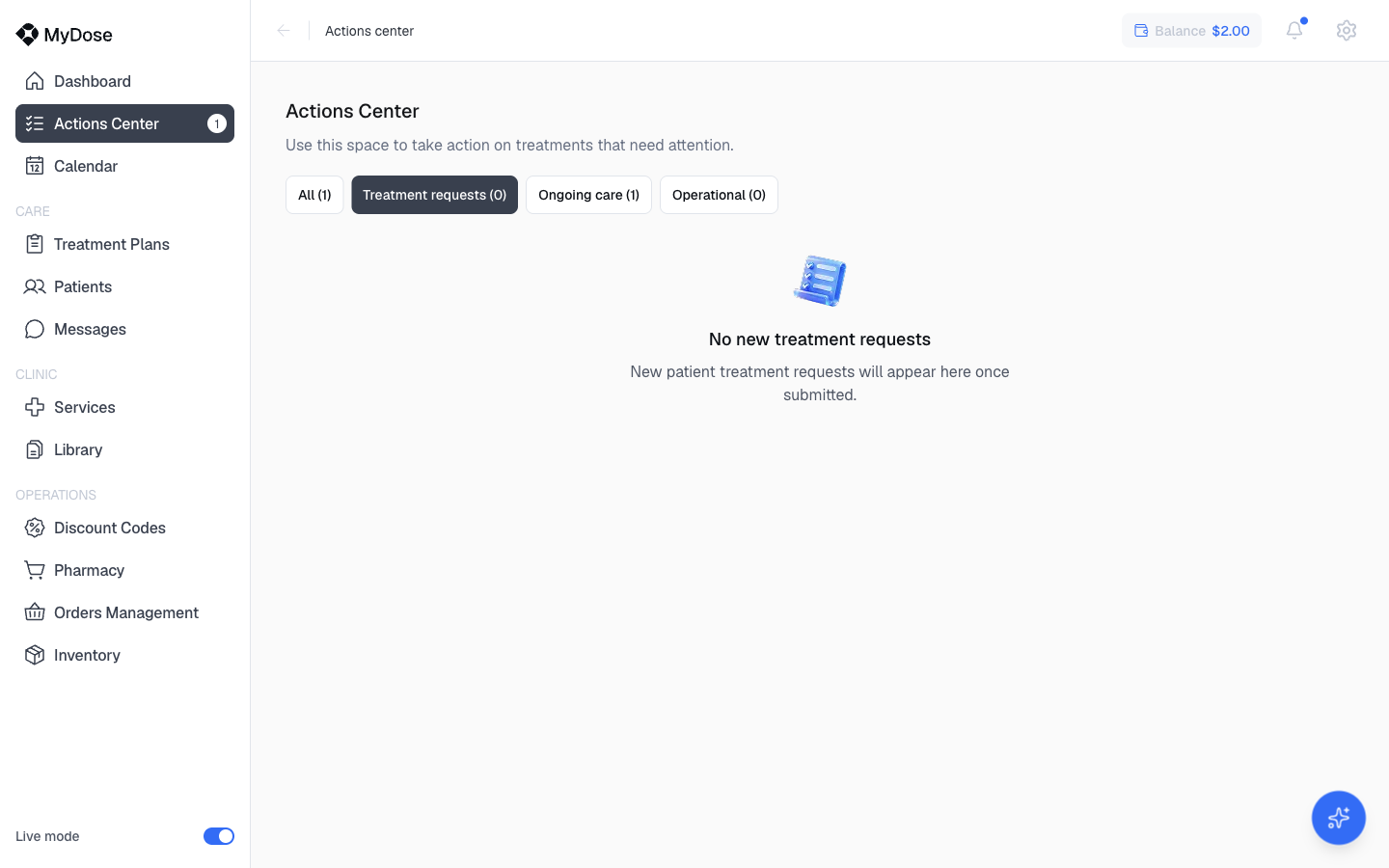
| Treatment requests | New treatment work, such as intakes waiting for review |
| Ongoing care | Items tied to patients already in treatment |
| Operational | Clinic-operations items |
Within a tab, items are grouped by recency (for example, "Last 6 days"), so the newest work sits together. A tab with zero items shows an empty state instead of a list.
Act on an item
Open the Actions Center
Select Actions Center in the sidebar.
Read the item card
Each card shows a colored status dot, the item type (for example, Review intake), how long ago it arrived, a short description, the patient's name, and the related consultation or service.
Take the action
Select Review Intake to open the intake review and make a decision — see Review intakes for the full flow. If the item no longer needs action, select Mark as Done to clear it from the queue.
Reviewing an intake requires prescriber permissions — see Roles and permissions.
Related
Review intakes
Open an intake from the queue and approve or decline the treatment request.
Dashboard
See the Urgent Tasks count and jump into the Actions Center from your daily overview.
Roles and permissions
Understand which roles can review intakes and act on queue items.
Navigating the portal
Get oriented with the sidebar, header, and the badge counts that flag open work.