Test mode and going live
What test mode does, what you need before you go live and what changes after.
Test mode and live mode are set for each store. You can stay in test mode as long as you like. Nothing in it costs money.
Test mode
- Your store is published. Public pages show a banner that says no real orders are taken.
- Test activity does not send patient emails and does not start your billing.
- Test orders are not paid out.
- You can build, edit and publish pages.
Before you go live
Check these in your test store.
- Your products, pages and menus are as you want them.
- Your claims follow Compliance for brand owners.
- Your legal pages are reviewed by your own counsel. The starter pages are starter text.
- Payouts are connected. The first go-live needs this. See Payouts.
- You clicked through the store as a patient: home page, product page, sign-up and checkout.
Go live
Open Go live
Use Go live in your sidebar, or the Go live banner on Home. It shows only while a store is in test mode.
Switch the store to live
Switch the store to live. Patients can then sign up, independent licensed providers review intakes and the pharmacy ships orders.
Your plan starts with your first patient. See Billing and your plan.
What you'll see
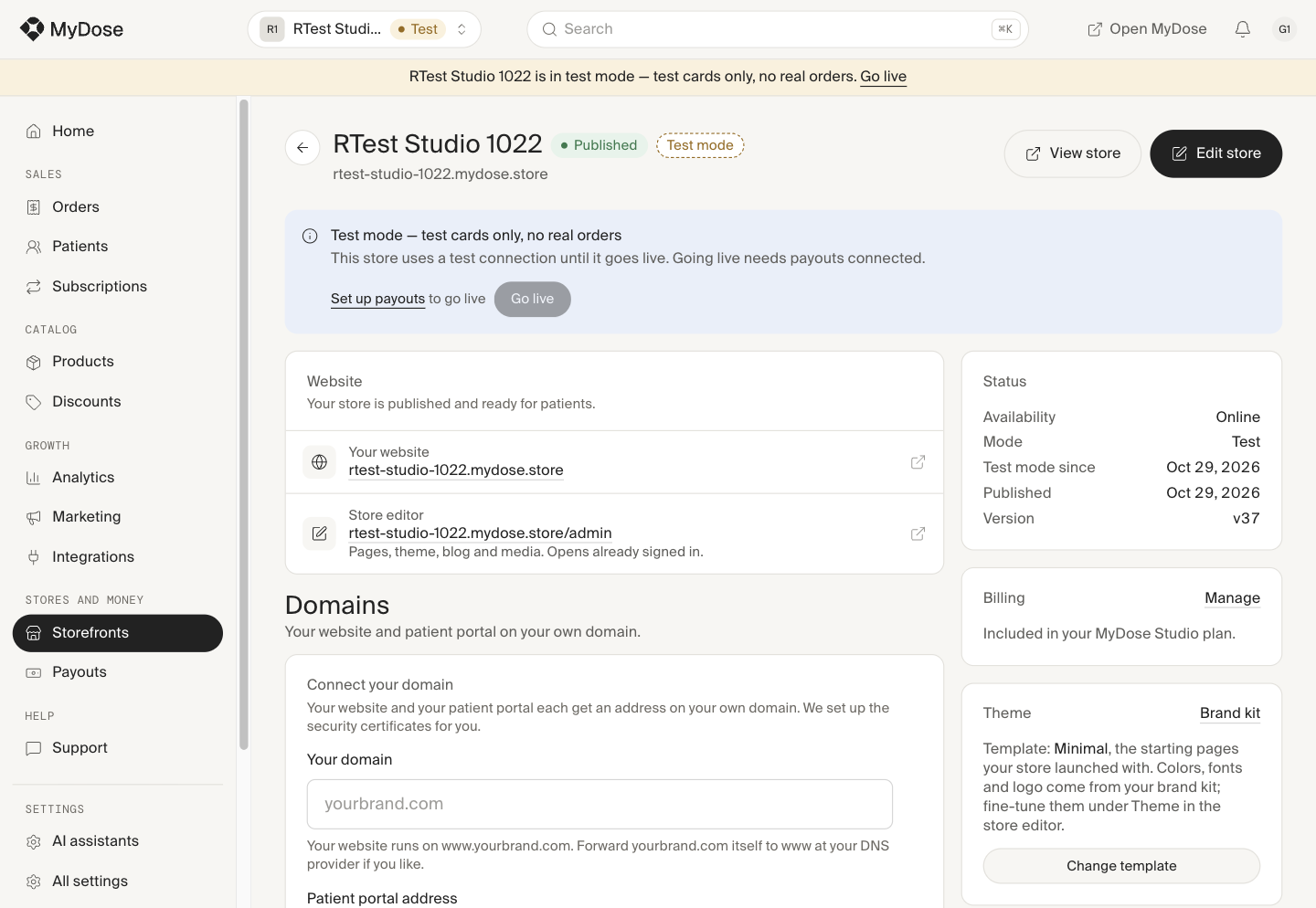
The test banner disappears from your public pages. Go live leaves your sidebar. Home marks First storefront live on the checklist and, after the first paid order, First storefront taking real orders.
What happens next
- New orders and patients show under Orders and Patients. See Patients, orders and support.
- You can still edit pages. Select Publish to change what patients see.
- You get an email when your first patient orders. It carries no patient or order details. Open Studio to see them.
- Next, read First patient playbook.
Test and live are set per store. If you add a second storefront, it starts in test mode.
Common problems
| Symptom | Fix |
|---|---|
| Go live is missing | It only shows while a store is in test mode. Check the store's status under Storefronts. |
| Go live is blocked | The first go-live needs payouts to be ready. Open Payouts and finish the Stripe steps. |
| My store still shows the test banner | The banner goes when the store is live. Reload after you switch it. |
| Test orders do not show in Payouts | Test sales show under Test sales and are never paid out. |
Medical services provided by independent licensed providers.