Getting started with Studio
The ordered checklist from account to your first patient, with a link to each page.
Studio takes you from a new account to a live store in a set order. Work down this list. Your dashboard Home shows a matching checklist, so you can see what is done and what is left.
Medical services provided by independent licensed providers.
Before you start
- A business name and a work email you can open.
- A logo file (PNG, JPG or WebP) and your brand colors, if you have them.
- A bank account for payouts. You need it before the first go-live, not before you build.
The checklist
Create your account
Five signup screens: About you, Your business, Plan, Verify email and Website. See Create your account.
Set your brand kit
Logo, colors and fonts. The setup wizard walks you through Brand, Colors and Look. See Brand kit.
Choose your products
Pick the MyDose products your store sells. See Choose your products and Set prices.
Build your pages
Edit Home, About, Contact and FAQ in the store editor. See Edit your store and Theme, menus and templates.
Add search and ad settings
Set titles and share images, and mark pages with no health content. See SEO and pages for ads.
Check your claims
Read your pages against the rules for brand owners. See Compliance for brand owners.
Test your store
Click through as a patient would. See Test mode and going live.
Connect payouts
Add your bank account through Stripe. See Payouts.
Invite your team (optional)
Add people with the right role. See Team and roles.
Go live
Switch the store from test to live. See Test mode and going live.
Get your first patient
Send your first visitors to your store and watch Orders and Patients. See First patient playbook and Patients, orders and support.
What you'll see
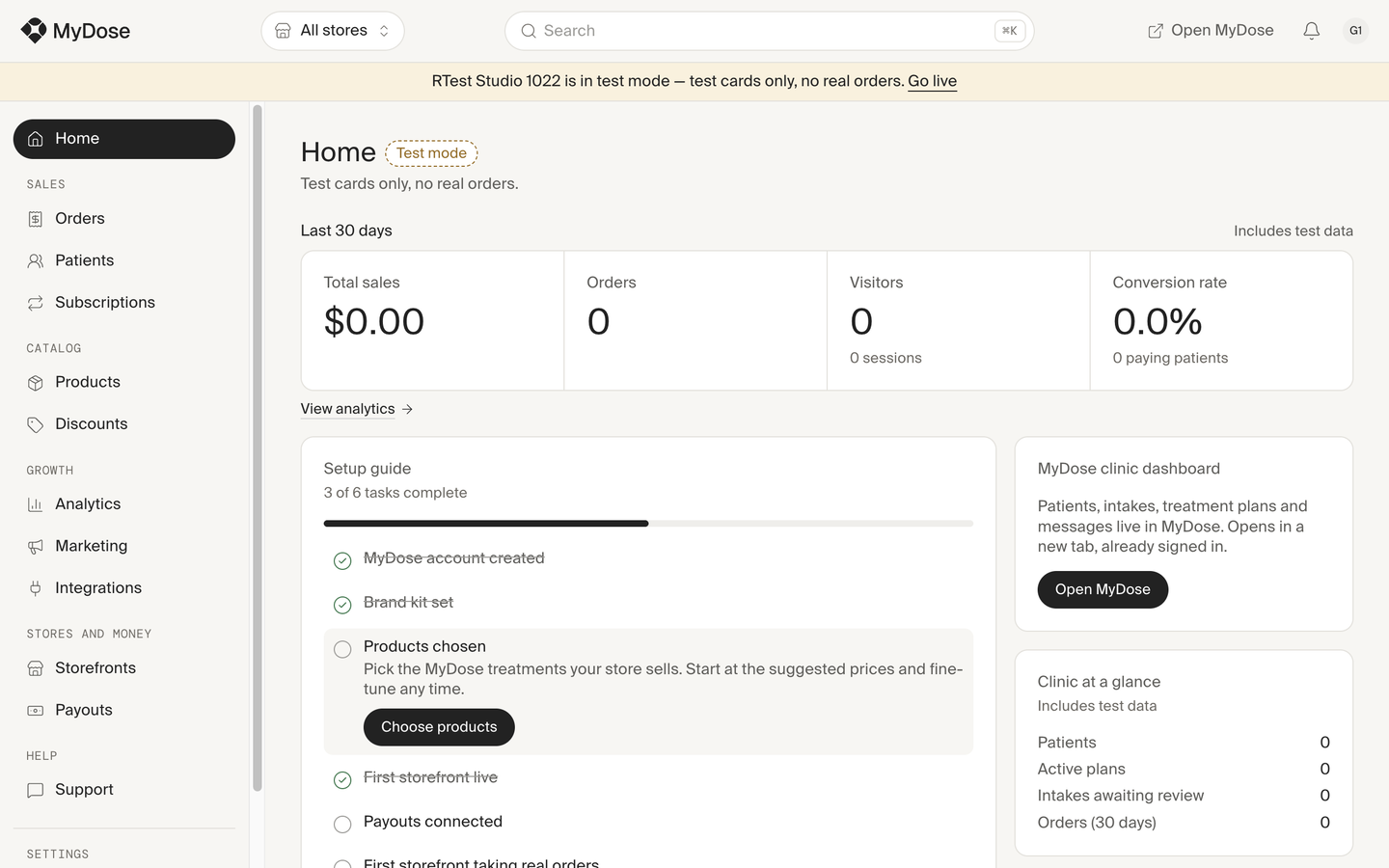
Your dashboard Home lists six items: MyDose account created, Brand kit set, Products chosen, First storefront live, Payouts connected, and First storefront taking real orders. Each one ticks off as you finish it.
What happens next
Billing starts only when your first patient pays on a live store. See Billing and your plan.
Common problems
| Symptom | Fix |
|---|---|
| I am not sure which step is next | Open Home and read the checklist. The first item not ticked is next. |
| Go live is missing | It only shows while a store is in test mode. See Troubleshooting. |
| I want to use AI to build | See Build with an AI assistant. It works on the same pages and steps. |