Choose your products
Turn on the MyDose products your store sells and check how they look.
Your store sells products from the MyDose catalog. MyDose owns the catalog and the prices. You choose which products appear in your store.
Before you start
- Finish your brand kit so product pages pick up your look.
- Read Set prices so you know what you control.
Choose products
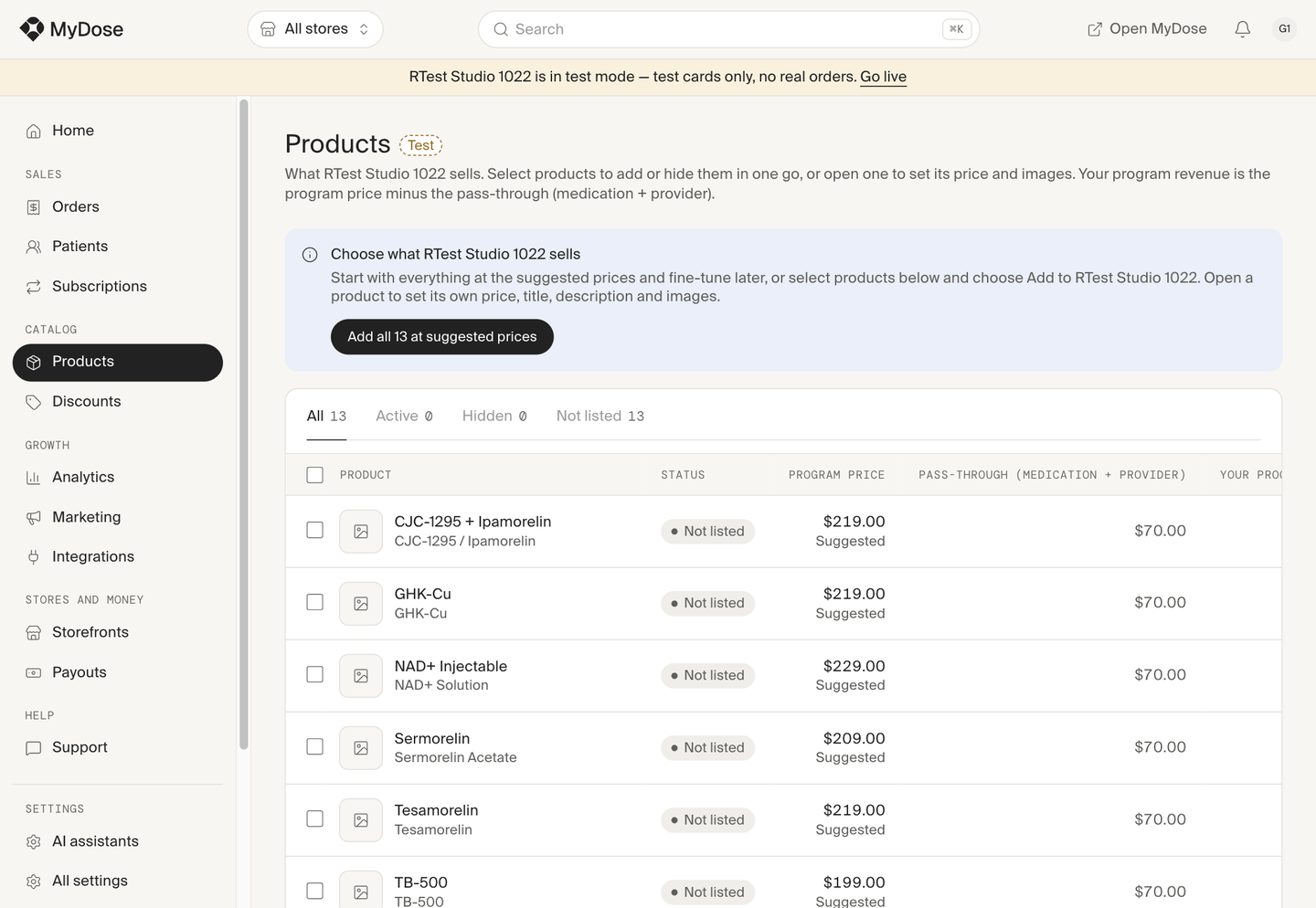
Open Products
In your dashboard sidebar, select Products. You can also reach this from the Products step of the setup wizard.
Select what you sell
Turn on each product you want in your store. Turn off any you do not want to offer.
Review each listing
Open a listing to see what patients will see. Check the name, description and price shown.
Check your store
Open Storefronts, select your store and Edit store. Look at the product pages and the product grid.
What you'll see
Selected products show on your store's product grid and each gets its own page. Home shows Products chosen on your Setup guide.
What you can change
In the store editor you can change the imagery, wording and search settings around a product. Prices appear read-only there.
You cannot change who receives a product. Independent licensed providers review each patient's intake and decide whether to prescribe. Medical services provided by independent licensed providers.
What happens next
Build the rest of your pages in Edit your store. Then run through your store in test mode.
Common problems
| Symptom | Fix |
|---|---|
| A product I expect is missing | The product may not be offered to your brand. Email support@mydose.ai with the product name. |
| A product shows on my grid but I want it gone | Turn it off in Products, then check the grid in the editor. |
| The price in the editor will not change | Prices are read-only in the editor. See Set prices. |
| I added a product but my checklist does not tick | Reload Home. If it still does not tick, email support@mydose.ai. |
| Patients see old product wording | Select Publish on the page. Drafts do not change the live store. |
Do not name medications in headlines or ads, and do not promise results. See Compliance for brand owners.