Payouts
Connect your bank through Stripe, read the Payouts page, and see what comes out.
Patient payments run through MyDose. After costs, the rest is paid to your bank account through Stripe.
Before you start
- Your bank account details: routing and account number.
- Your business type, EIN and address. Studio asks for them under Business details before payout setup.
Connect payouts
Open Payouts
In your sidebar, select Payouts, or select Set up payouts on your Home checklist.
Follow the Stripe steps
Stripe opens and asks for your details and bank account. Complete every step.
Return to Studio
When Stripe finishes, you return to the Payouts page.
Check your status
Payouts shows as connected when Stripe has all it needs. Home marks Payouts connected.
Going live for the first time needs payouts to be ready.
What the Payouts page shows
| Tile | Meaning |
|---|---|
| On its way | Money earned that has not reached your bank yet |
| Paid out | Money sent to your bank |
| Test sales | Orders placed in test mode. These are not paid out |
Below the tiles is your payout history. See your Payouts page for what is on its way.
What comes out of a payout
- Medication and provider consults, at cost. MyDose adds no markup.
- Labs, prescriptions and shipping, at cost.
- The $15 per active patient above the 50 included in your plan, if you have any. See Billing and your plan.
You keep the rest of what the patient paid.
If the amounts taken use up a whole payout, that payout is settled without a transfer to your bank.
Timing
See your Payouts page for what is on its way.
Test mode
Test orders never reach your bank account. See Test mode and going live.
What you'll see
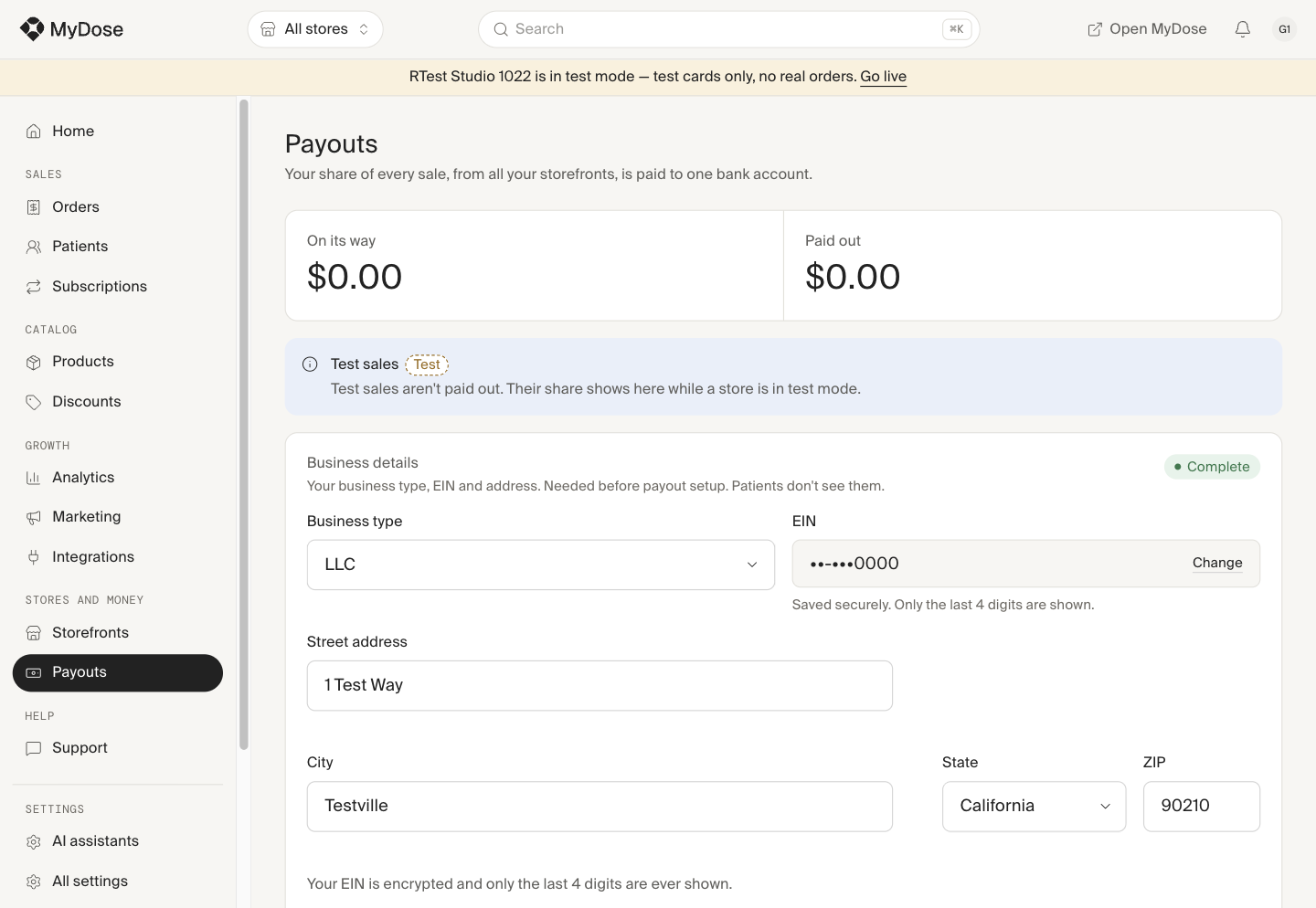
After connecting, the tiles show zero until your first live sale. Then On its way fills, and later Paid out.
What happens next
Once payouts are ready you can go live. See Test mode and going live.
Common problems
| Symptom | Fix |
|---|---|
| Payouts will not connect | Go through the Stripe steps again. Check bank details. |
| Go live is blocked | Payouts must be ready. Finish the Stripe steps. |
| Stripe asks for more information | Open Payouts and complete the item Stripe lists. |
| My payout is smaller than expected | Costs and any per-patient amount are taken out first. Compare with your orders. |
| A payout shows no transfer | Amounts taken equaled the payout, so it was settled without a transfer. |
Do not send bank details or patient information by email. Questions? Email support@mydose.ai.
Medical services provided by independent licensed providers.