Brand kit
Set your logo, colors and fonts once. Your storefront and patient pages use them.
Your brand kit holds your logo, colors and fonts. Set it once and your storefront picks it up. You can change it any time.
Before you start
- Your logo as a PNG, JPG or WebP file. Uploads are limited to 4 MB, and SVG files are not accepted.
- Your brand colors as hex codes, if you have them. A hex code looks like
#1A5CFF. - Your website address, if you gave one at signup. Under Import from your website, Studio reads your current site's logo, icon, colors and fonts.
Set your brand kit in the setup wizard
Brand
Enter your brand name and upload your logo. Check the preview.
Colors
Pick your main and accent colors. Enter a hex code or choose from the picker. A live preview shows the change.
Look
Choose the overall look of your store, including fonts.
Products
The wizard asks you to pick products next. See Choose your products.
Launch
The wizard creates your storefront in test mode.
Change it later
Select Brand kit in the sidebar under Settings. Update the logo, colors or fonts and save.
Changing the brand kit changes your defaults. Fine-tuning for individual pages, such as button style or corner roundness, happens in the store editor. See Theme, menus and templates. New storefronts start from your brand kit, and live storefronts update when you save.
What you'll see
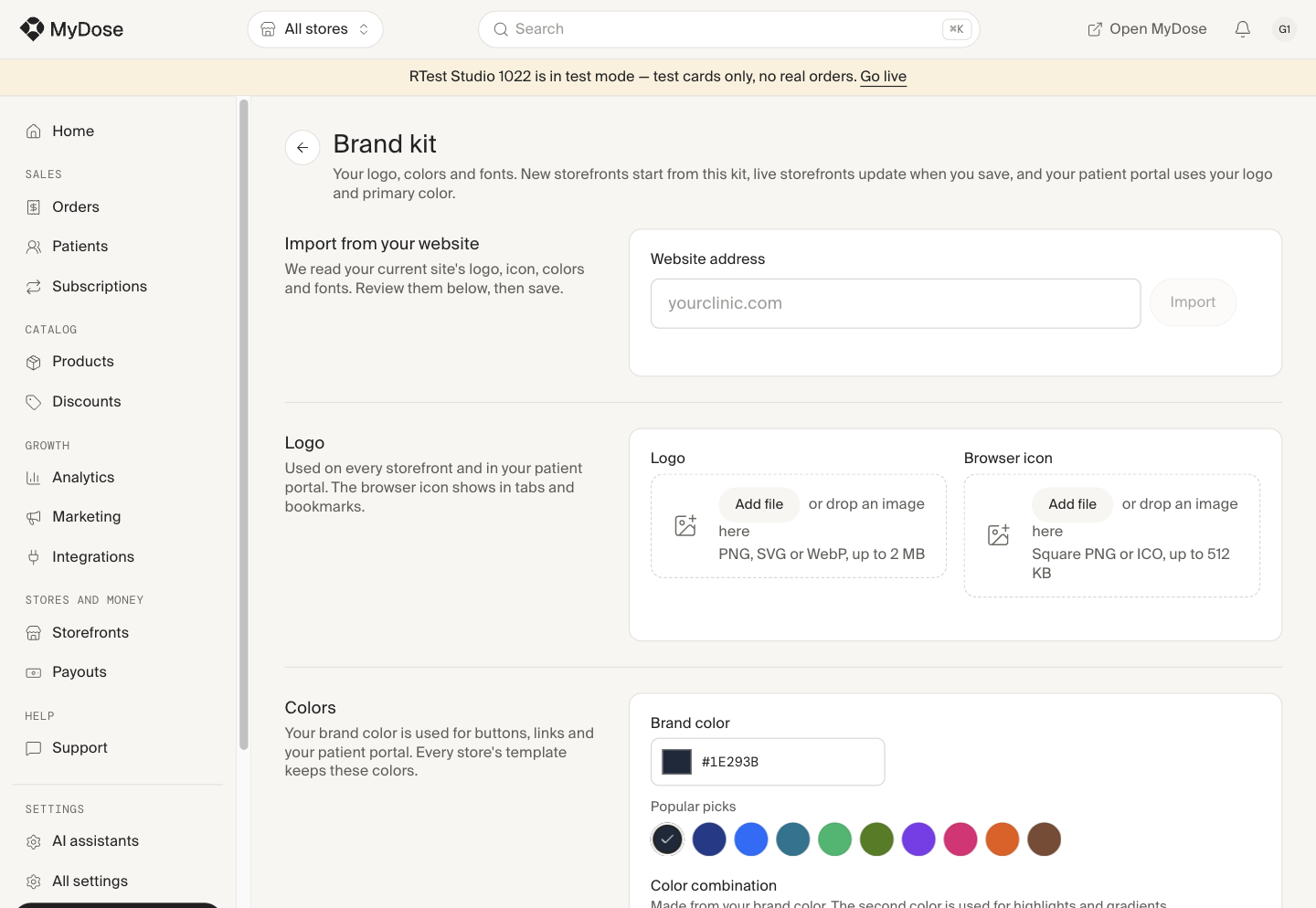
Your logo and colors show in the preview as you work. When the wizard finishes, your test store opens with your branding in place and a banner saying no real orders are taken.
Home marks Brand kit set on your checklist.
What happens next
Go on to Choose your products, then Edit your store.
Tips for a clean kit
- Use a logo with a transparent background so it sits cleanly on light and dark areas.
- Keep text and background colors far apart in brightness. Pale text on a pale background is hard to read.
- Pick two fonts at most: one for headings, one for body text.
- Do not put drug names, health claims or outcome promises in your brand name or tagline. See Compliance for brand owners.
Common problems
| Symptom | Fix |
|---|---|
| The logo will not upload | Check it is under 4 MB and is PNG, JPG or WebP. SVG is not accepted. |
| The logo looks blurry | Upload a larger image. Aim for at least twice the display size. |
| Colors look different on the live store | Open the store editor theme and check it was not overridden on that page. |
| The wizard shows the wrong brand from my website | Edit each field by hand. |
| I skipped a step and cannot find it | Open Brand kit from the sidebar. |
Medical services provided by independent licensed providers.