Team and roles
Invite teammates and set what each person can do.
Open Team in your dashboard to invite people by email. Give each person the least access they need.
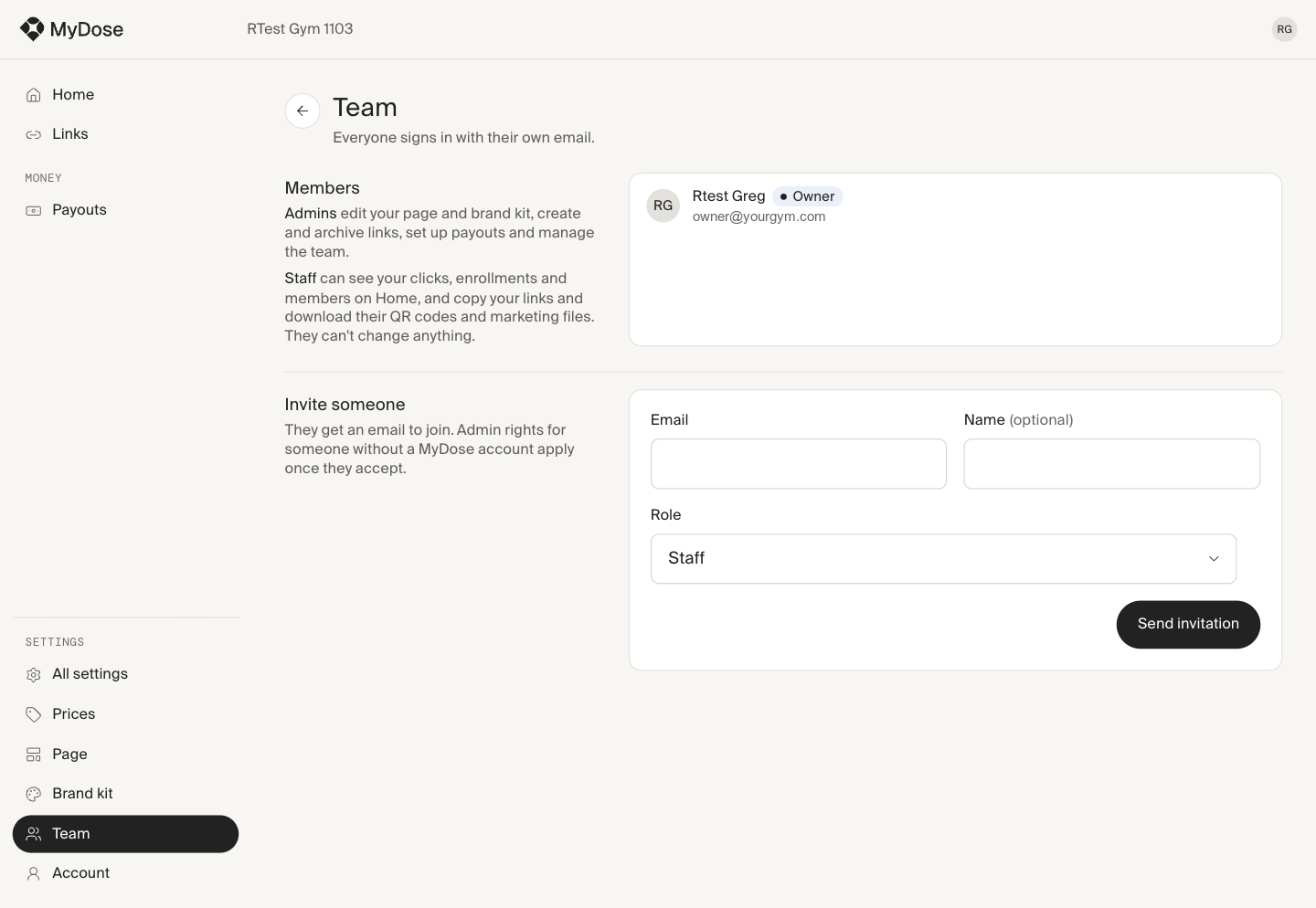
Roles
| Role | Can do |
|---|---|
| Owner / Admin | Edit your page, brand kit, links and team. Manage payouts. Archive links |
| Staff | View Home and Links. Copy links, download QR codes and download files |
Staff cannot create or archive links, change your page or see Payouts.
Invite a teammate
Open Team
Select Team in the dashboard sidebar.
Add their email
Enter their email address and choose a role.
Send the invite
They receive an email, create a login and see the dashboard that matches their role.
Sign-in and access
Team access is re-checked regularly, and sessions end after 30 minutes of inactivity.
Good practice
- Give your front desk the Staff role. They can copy links and print QR codes and nothing else.
- Keep Owner / Admin to the people who handle money and your page.
- Remove people who leave your business.
Common problems
| Problem | Fix |
|---|---|
| Teammate cannot see Links | Check they accepted the invite and use the right email |
| Teammate cannot create a link | Only Owner / Admin can. Ask an admin, or change the role |
| Signed out suddenly | Sessions end after 30 minutes of inactivity. Sign in again |
Related
Was this page helpful?