Connect payouts
Add your bank account through Stripe so your earnings can be paid out.
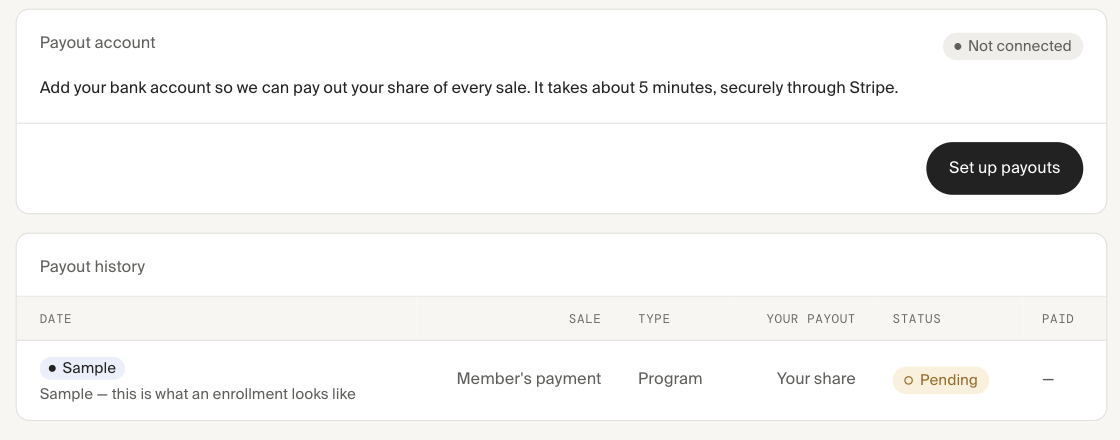
Launch uses Stripe to pay you. You add your bank account inside your dashboard, without leaving it. Each business has one payout account.
Before you start
Have these ready:
- Your bank account and routing numbers.
- Your business details, including legal name and address.
- An owner or admin login. Only owners and admins can manage payouts.
Steps
Open Payouts
Select Set up payouts on your Home checklist, or open Payouts in the sidebar.
Select Set up payouts
On the Payout account card, select Set up payouts. The Stripe form opens inside the page.
Add your details
Follow the Stripe steps and add your bank account. Your dashboard session stays active while the form is open.
Check your status
When you finish, the card shows a badge. Connected means you are done. In review means Stripe is verifying your details.
You will see: the Payout account card show Connected, and the message "Payouts are set up. Your share of each sale is paid to your bank account."
What the buttons mean
| Button | When you see it |
|---|---|
| Set up payouts | You have not started |
| Continue payout setup | You started and did not finish |
| Add details | Stripe needs more information from you |
| Open Stripe | You have submitted details and want to see them in Stripe |
What happens next
See Your Payouts page for what shows on the Payouts page.
Good to know
- In test mode, test members are counted and flagged Test. They are never paid out.
- You earn $75 per active protocol, per month. Illustrative. Not a guarantee of income. See Programs and pricing.
- One bank account per business. To change it, select Open Stripe.
Common problems
| Problem | Fix |
|---|---|
| Status stays In review | Refresh the page. If Stripe asks for more, select Add details |
| The Stripe form does not open | Refresh the page and select Set up payouts again. Try another browser if it repeats |
| You cannot see Payouts | Only owners and admins can. See Team and roles |
| You need to change the bank account | Select Open Stripe and update it there |