Getting started checklist
Everything to do, in order, from sign-up to your first enrolled member.
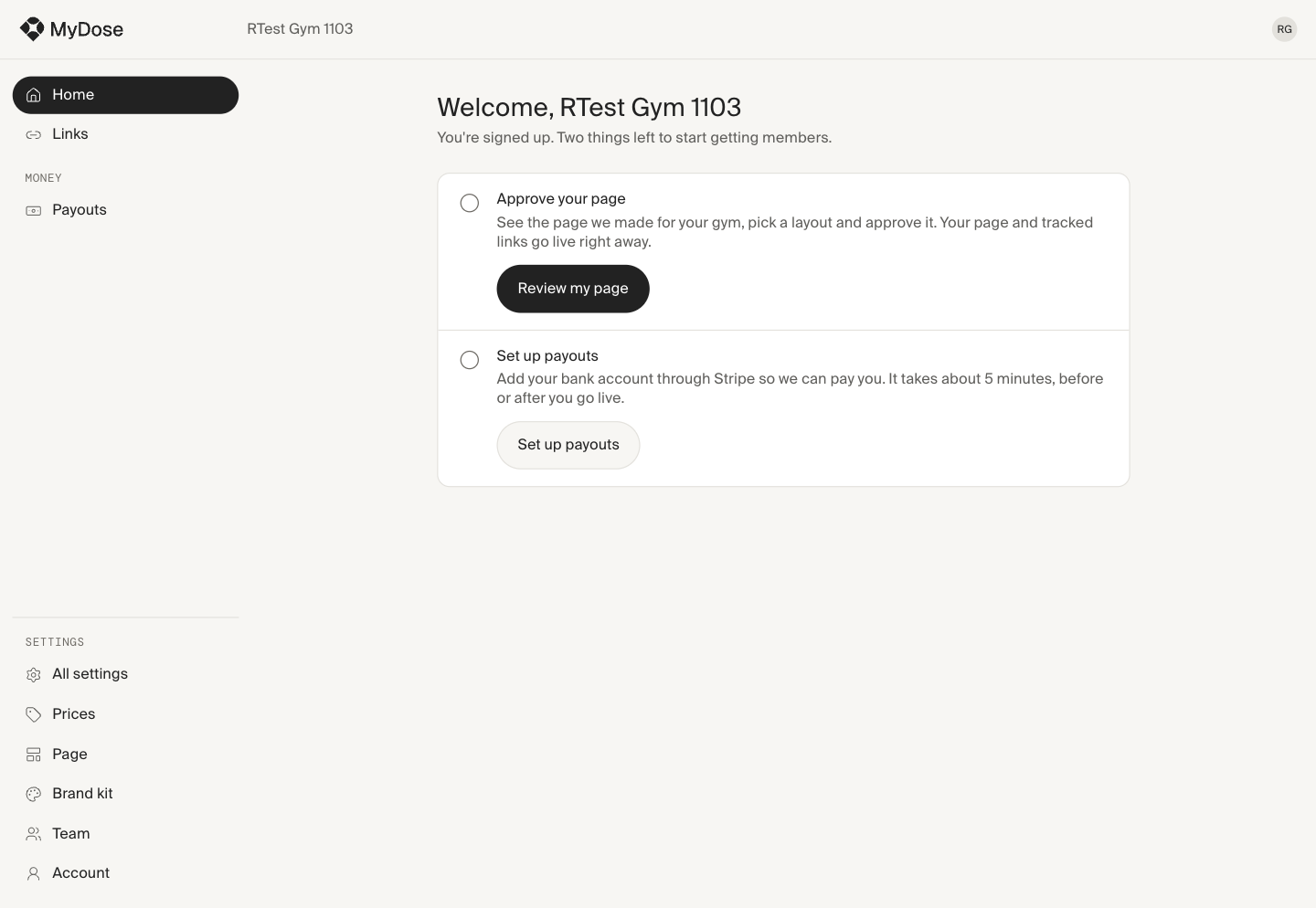
Work down this list. Each item links to the page with the full steps. Your dashboard Home tracks the first two items for you.
Before you sign up
- Pick a short gym code. It becomes your join address,
launch.mydose.ai/join/your-code. - Have your website address and logo ready. Both are optional, and Launch uses them to build your page.
- Decide who owns the account. The owner accepts the Launch terms for your business.
Set up
- Create your account at launch.mydose.ai/start and verify your email. See Create your account.
- Approve your page. Pick a layout and approve it. See Your page.
- Set up payouts. Add your bank account through Stripe. See Connect payouts.
- Invite a teammate if someone else will run your front desk. See Team and roles.
Share (this week)
- Create a link named Front desk, one named Email and one named Social. See Links, QR codes and assets.
- Print the QR code and test it with your phone before you print many. See Asset packs and QR codes.
- Brief your front desk with the one-line answer. See Front desk script.
- Send one email and make one post. See Your first 10 members.
Check your numbers (every week)
- Open Home and read link clicks, enrollments, enrollments awaiting provider review and active members. See Members and active protocols.
- Open Payouts and check On its way and Paid out. See Your Payouts page.
What happens next
See Your Payouts page.
Stuck on a step? See Troubleshooting or email support@mydose.ai. Do not send member information by email.
Examples of earnings in these docs are illustrative. Earnings depend on your active protocols. Not a guarantee of income. Medical services provided by independent licensed providers.
Was this page helpful?